See the portal
you will use.
Three steps through the actual site and permit interface. All names, vehicles and locations below are demonstration data, not customer records.
From a site to its resident permits.
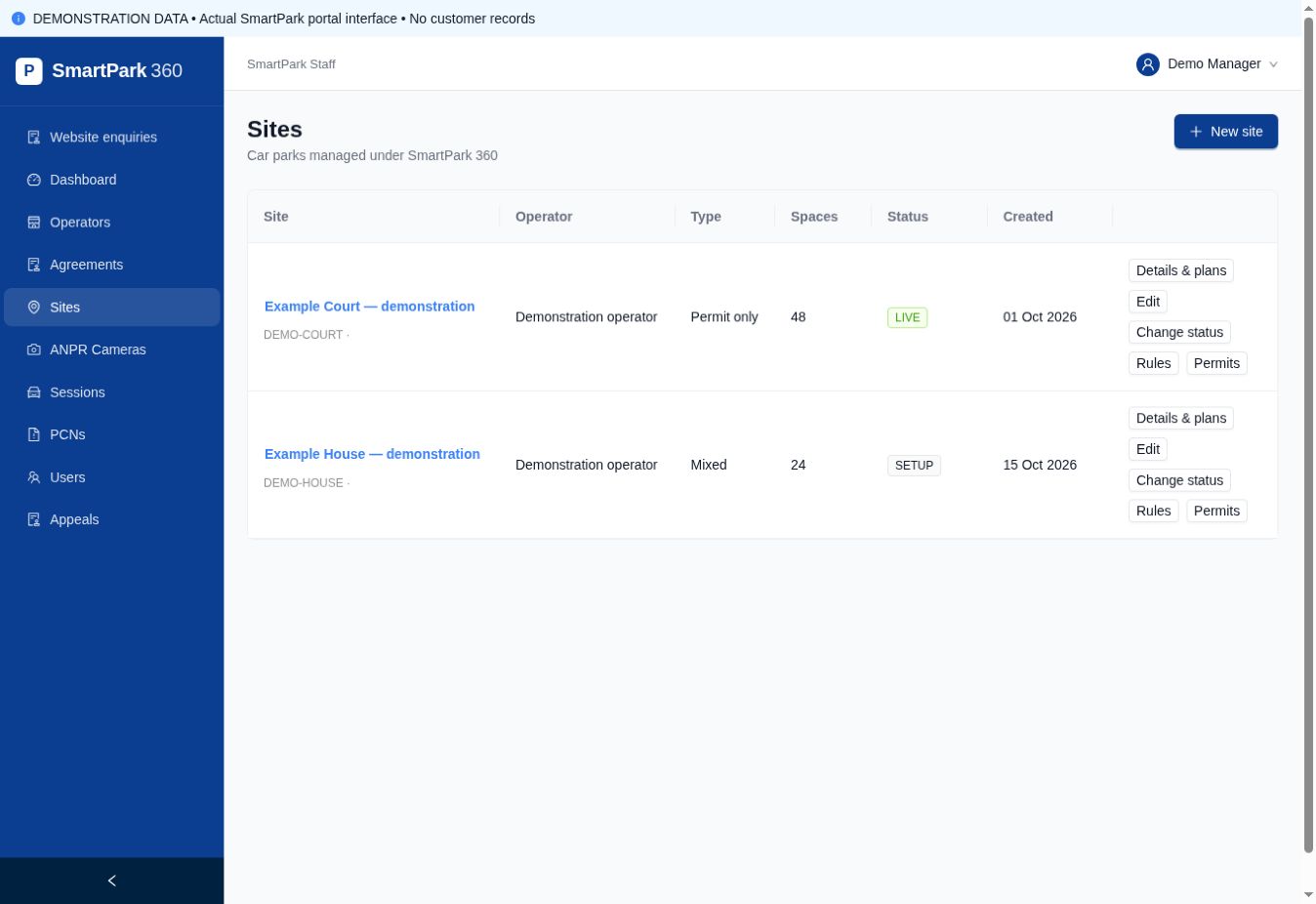
Find the right site.
View the locations available to your account, then open the site’s permits, rules or documents. Permissions determine which actions are available.
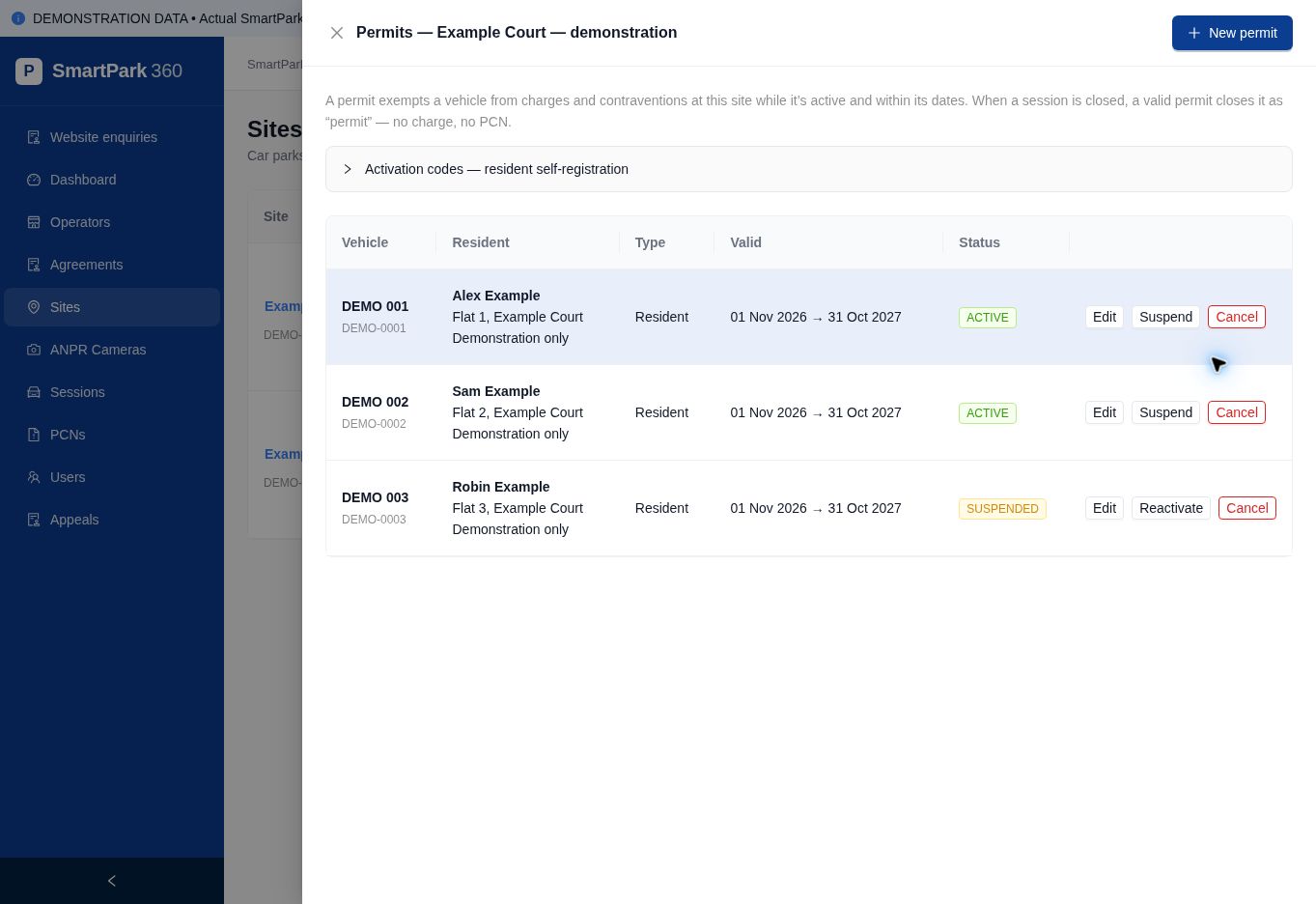
Review resident permissions.
See each vehicle, resident, permit type, validity period and status. Authorised users can suspend or cancel permits.
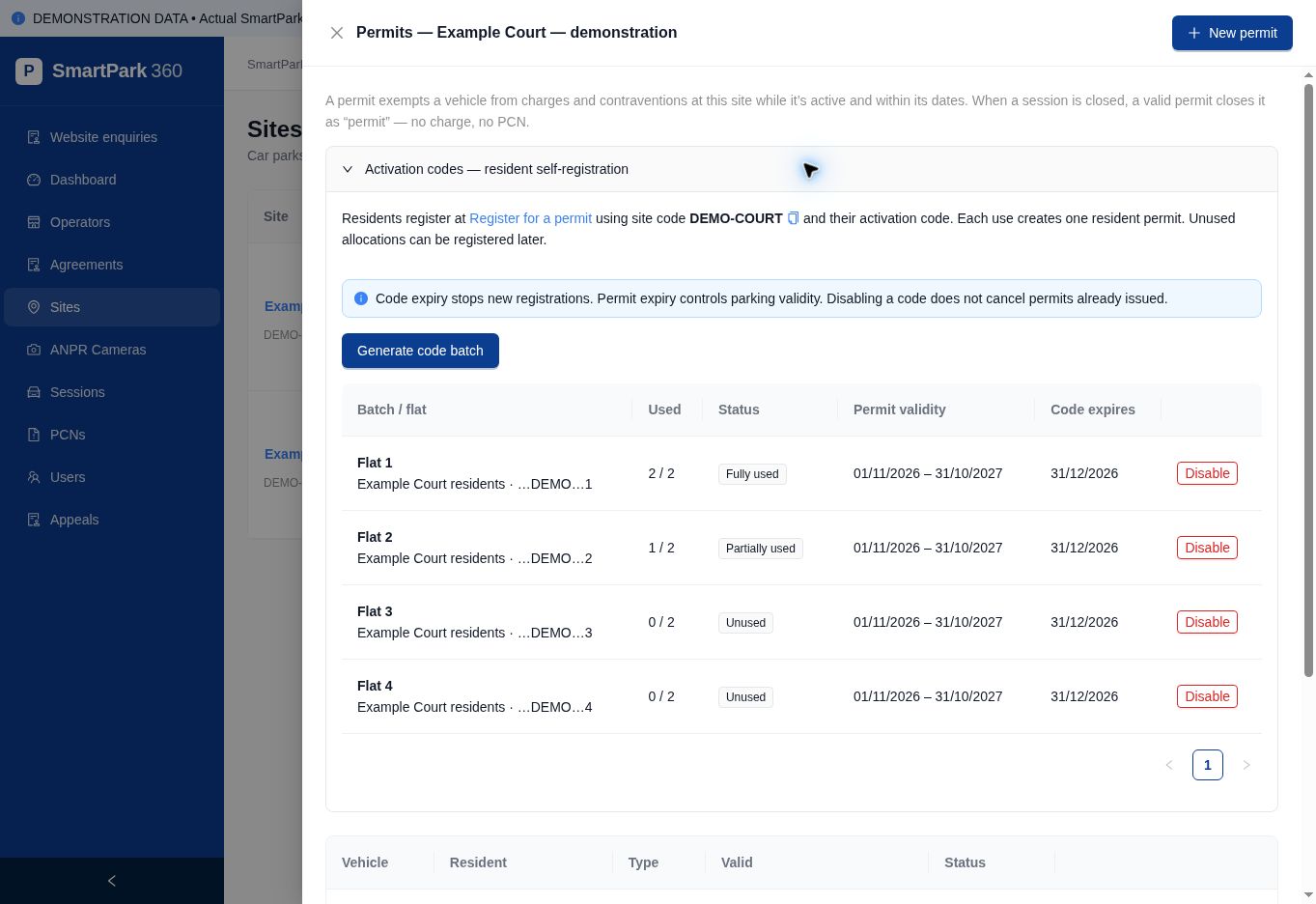
Issue codes and track their use.
Create labelled batches for flats or units, choose the allowance and dates, and download the full codes when generated. The list tracks used allocations without exposing complete codes again.
Actual interface screenshots with demonstration data. Ask for a guided demonstration of your own workflow.
Want to see your own workflow?
Ask us to demonstrate how your sites, flats and vehicle permissions would be managed.